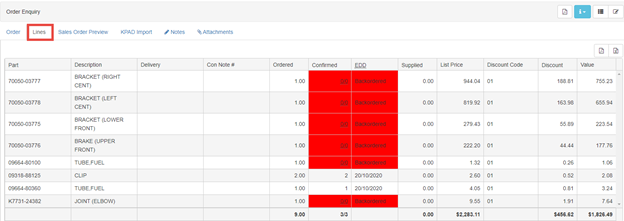
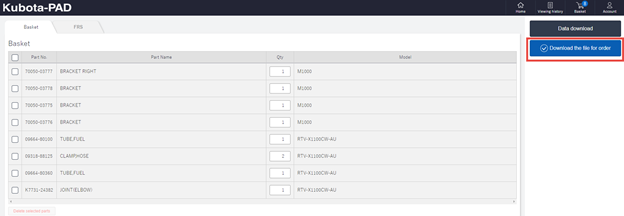
In order to upload parts listed in your shopping basket please follow the below steps:
- From your shopping basket in the above step click “Download the file for order”
2. Create your Order header within Dealer Online: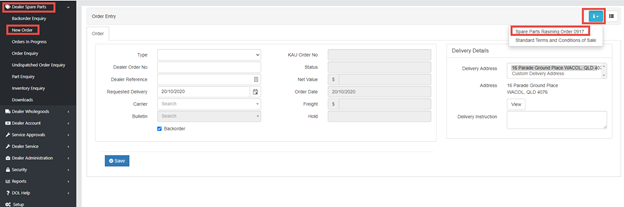
NOTE: For information on how to create an order please see the “I” Button and guide on how to create an new order.
3. Click on “KPAD import” from the tabs across the top of the order screen. Click “Select file”
NOTE: If you do NOT see the above tabs please ensure you have “Saved” your order header. These options will only appear once your order header is saved.
4. Navigate to the downloaded file from step 1. Click on “Open”
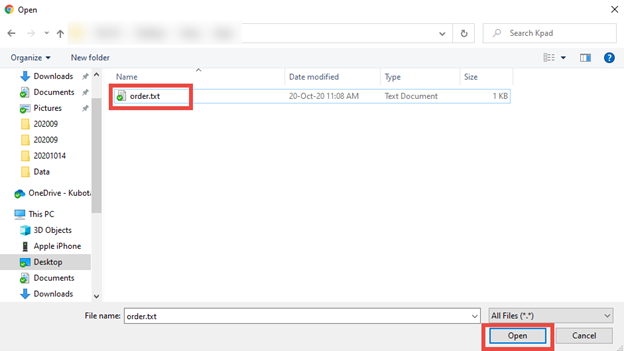
NOTE: By Default, the file will be located in your computer “Downloads” folder.
5. Once your file is uploaded you will see “Done” as per below.
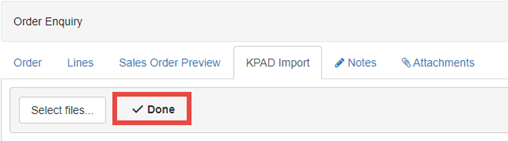
6. Return to the “Lines” Tab and continue processing your order as per the guide from step 2.