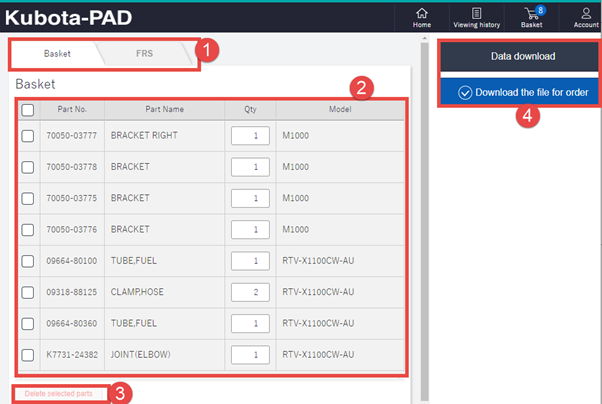
From the drawing screens within Kpad you have the open to add lines and parts to your Basket for quick ordering:
- Basket/ FRS tab: Indicates if you are looking at a part for the time and effort required to R&R : (NOTE FRS is not yet supported)
- Basket List window: List of all the parts and their descriptions within your Basket.
- Delete selected parts: To delete, tick the part in the list window then select Delete Selected Parts to remove lines from list.
- Data download: Allows you export the basket and then upload into DOL for ordering. (see “Kubota PAD (KPAD)> DOL Uploading”