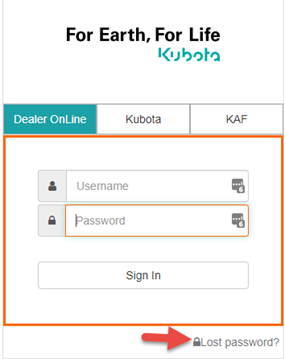
- From the Dealer Online Log on screen click “Lost password”
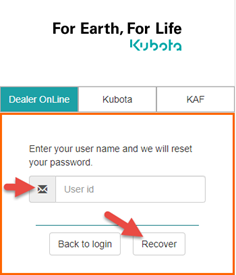
- Enter your Dealer Online user ID and click “Recover”
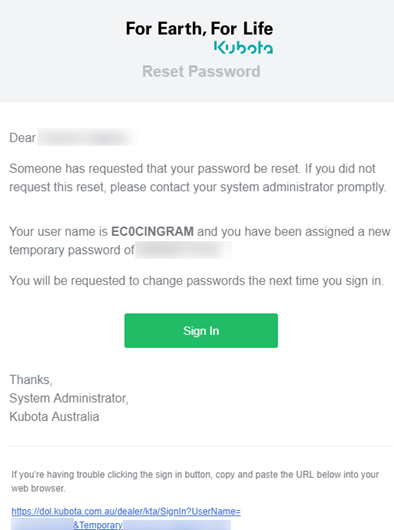
- You will be receive an E-mail like the below to the E-mail address linked to your user ID. If you are unsure what E-mail address is linked please give Kubota ICT a call who can advise. Click on “Sign In”
- Enter a new password in the below screen. You will need to enter the password twice. Once entered click "Update”
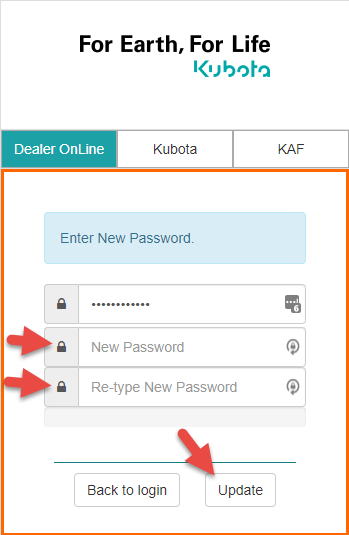
NOTE: your new password must contain the below:
- 1 X number
- 1 X capital letter
- Minimum 8 characters
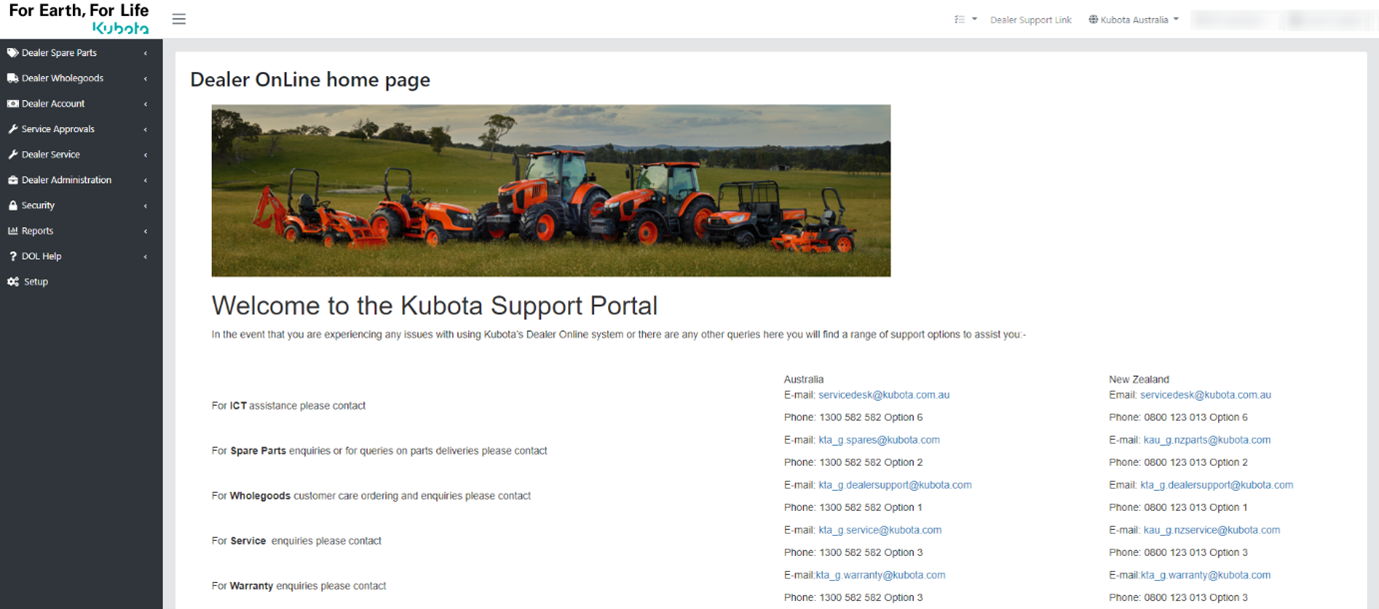
- You will then be taken to the Dealer online home screen:
Kubota Help Center Australia